Vizo Lite
- 4.6
- Rating
- 1.00M
- Installs
- Free
- Price

 Analysis by App-foxy
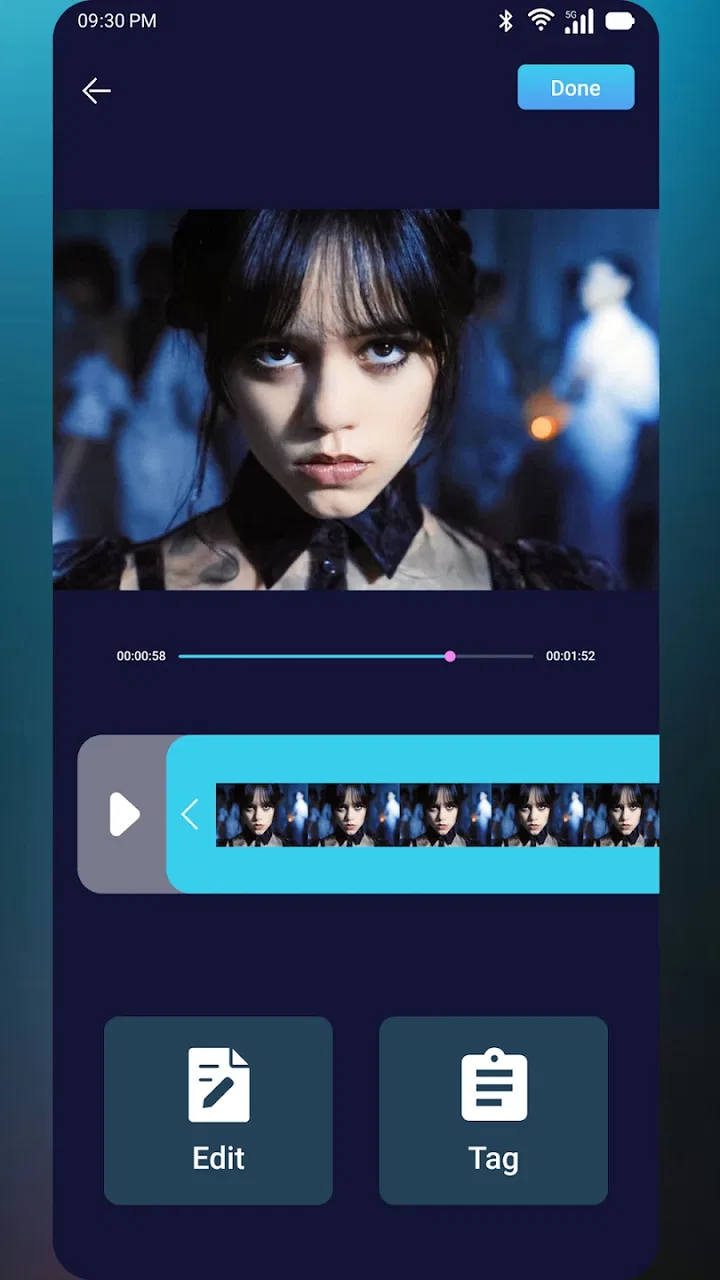
Managing short videos and keeping track of liked content can become surprisingly repetitive. I often find myself trimming a clip before sharing it, then searching through a crowded activity list to find something I liked earlier. Vizo Lite is built around that recurring problem. It is a free tools app from Didik Hadist Lee that focuses on shortening your own videos and managing likes, rather than trying to become a full editing studio or a complete social platform.
After using it, my impression is that its value comes from reducing small interruptions. It is not the kind of app that replaces a professional editor, and it does not need to. Its appeal is narrower: when I want a quick result without opening a large, complicated editor, it gives me a more direct place to handle that task. The same applies to likes; the benefit is less about discovering new content and more about keeping personal activity easier to manage.
Where Vizo Lite fits in everyday use
The app sits in the tools category, which feels appropriate. Its store summary describes two connected jobs: shortening your own video and managing your likes. That combination makes it useful for people whose routine involves saving, reviewing, and sharing short-form content, but who do not want every small action to turn into a multi-step editing session.
You May Also Like

 Blood Strike: 2.5 Anniversary
Blood Strike’s Loadouts Turn Every Drop Into a Tactical Gamble
A close look at Blood Strike’s custom loadouts: how fast access to signature weapons reshapes its battle royale rhythm, rewards preparation, and narrows the gap between fights.

 Pandora - Music & Podcasts
Pandora’s Music Is Easy to Start, but Harder to Recover
Pandora’s strength is its low-effort path from a seed to a station. Its weak spot is how much confidence it asks you to place in connection, setup, and quiet recovery.

 8 Ball Pool
 Is Built on Rivalries, Rematches, and Routine
A close look at the rivalries, rematches, shared routines, and unanswered safety questions that turn a quick pool match into a persistent mobile community.

 Samsung Music
’s Quiet Strength Is Playing What You Already Own
Its reach comes less from spectacle than from dependable access to a personal library. That simplicity is both the app’s strongest retention engine and its ceiling.

 AccuWeather: Weather Radar
AccuWeather Review: A Quick, Clear Forecast for Everyday Decisions
For everyday plans, the best forecast is the one you can understand quickly. AccuWeather makes rain timing, radar, and local conditions easy to act on, with a few trade-offs.

 Hill Climb Racing
Why Hill Climb Racing Still Turns Crashes Into One More Run
A tiny car, a bumpy hill and one more upgrade: Hill Climb Racing keeps resurfacing because its simple chaos makes every near-miss feel personal.
More From Our News Desk



I would describe Vizo Lite as a focused utility rather than an all-purpose media manager. That distinction matters. A conventional video editor usually brings a timeline, filters, transitions, audio controls, text layers, and export choices. Those features are valuable when I am building something polished, but they also create extra decisions when all I need is a shorter clip. Vizo Lite is more attractive when speed and simplicity matter more than creative control.
The same trade-off appears with liked content. Many social apps let me press a like button, but that does not always make later organization comfortable. A dedicated tool for managing likes can be useful when I want to revisit my choices instead of treating them as a forgotten stream of activity. I still see it as a companion to the services where the content lives, not a replacement for them.
The app has a 4.6 average from around 22 thousand ratings, with more than a million installs. Those figures suggest that its straightforward purpose resonates with a sizeable audience, although popularity alone does not guarantee that it will match every workflow. I would still judge it by whether it removes steps from the tasks I personally repeat.
The first setup should be treated as a workflow check
My advice is to begin with one ordinary clip, not an important video that you need to publish immediately. Open a short recording that you already know you want to reduce, then see how quickly you can move from selecting it to getting a usable result. This first test tells you more than browsing through menus because the app’s usefulness depends on how naturally it fits into a real moment.
That approach also helps separate two different needs. If I only want to remove a few seconds from the beginning or end, a focused shortening tool is sensible. If I need to rearrange scenes, correct color, add captions, or mix audio, I already know that I will probably need another editor afterward. Vizo Lite can be the first step in that chain, but I would not mistake that first step for the whole production process.
When I am organizing likes, I would start with a small review rather than trying to clean up everything at once. Look for items that I genuinely want to revisit, identify content that no longer interests me, and use the app as a regular maintenance tool. A short session every so often is likely to be less frustrating than waiting until the list feels unmanageable.
One useful habit is to shorten a video before I send it to someone, rather than sharing the full recording and explaining which part matters. This is a small change, but it prevents the recipient from hunting through the clip. It also makes me more deliberate about what I am sharing. The app’s value is strongest when it turns that decision into a quick routine.
A realistic scenario: cleaning up a clip before sharing
Imagine recording a quick demonstration for a friend. The useful moment begins after several seconds of setup, and the recording ends with a few seconds of fumbling for the stop button. In a conventional editor, I might create a project, import the file, adjust a timeline, and export it. For that simple situation, Vizo Lite is appealing because the task is not creative editing; it is removing the unneeded edges.
I would select the recording, shorten it to the part that communicates the point, and review the result before sharing. That final review is important. A fast utility can save time only if the shortened clip still starts naturally and ends cleanly. I would not assume that the first adjustment is perfect, especially when the meaningful action begins close to the point where I want the video to start.
This workflow is also useful for storage and messaging habits. Shorter clips are easier to inspect and less awkward to send, even when I am not trying to create a polished social post. I would use the app for quick personal recordings, demonstrations, travel moments, and clips where the unwanted material is mainly at the edges.
Managing likes without losing the reason I saved something
Likes are easy to collect and easy to forget. I may like a recipe, a repair tip, a workout idea, or a funny clip, then struggle to find it when I actually need it. Vizo Lite’s role here is practical: it gives me a place to approach that activity as something I can manage, rather than leaving every like buried in an endless history.
I find the most useful method is to review likes with a purpose. Before opening the list, I decide whether I am looking for something specific or simply removing items that no longer deserve attention. That prevents aimless scrolling. If I am searching for a tutorial, I focus on the items connected to that need; if I am tidying, I make quick decisions and stop when the list feels useful again.
A less obvious benefit is reducing the gap between saving and acting. A like is often a promise to return later, but later rarely arrives unless the content is easy to locate. By making likes more manageable, the app can encourage me to turn useful content into an actual note, task, recipe, or idea instead of treating the like as the final step.
There is also a trade-off. Organization is only helpful if I maintain it. No utility can decide perfectly why I liked something, and I would not expect it to replace my own judgment. I still need to recognize which items matter, which are duplicates, and which were liked only because they were amusing in the moment.
What the app removes from the usual process
The biggest friction Vizo Lite addresses is tool switching. Without a focused utility, I might open a social app to find a liked item, move to a separate editor to shorten a clip, return to the social app to share it, and then repeat the process later. Each switch adds a small delay and increases the chance that I will abandon the task.
That matters most for low-stakes jobs. If I am preparing a professional video, I am willing to spend time in a more capable editor. If I am sending a thirty-second moment to a friend, the extra controls can feel like overhead. Vizo Lite makes more sense in that second situation, where the desired result is clear and the work should stay small.
I also appreciate the psychological benefit of a narrow tool. A large editor can make a simple trim feel like a project. A dedicated app keeps my attention on the decision that matters: which part should remain? That focus can save more time than any individual button because it reduces the temptation to adjust things that were never a problem.
For likes, the friction is different. The issue is not editing but retrieval and cleanup. A manageable activity view can make it easier to revisit useful content and remove distractions. I would use it as part of a weekly digital tidy-up, alongside clearing downloads and checking unfinished notes. That is a more realistic routine than expecting one session to solve months of accumulated activity.
Where a traditional editor or the original platform is better
Vizo Lite is not the right choice when I need detailed control. A full editor is better for precise cuts across multiple sections, sound adjustments, captions, transitions, overlays, or a carefully timed export. Choosing Vizo Lite for those jobs would create frustration because its appeal is the opposite: fewer decisions and a shorter path to a basic result.
The original social platform may also remain the better place for browsing, commenting, following creators, and interacting with content. I would not install this app expecting it to replace the social experience. Its usefulness is in handling selected tasks around videos and likes, while the platform itself remains the main place where content is watched and shared.
Another important distinction is control versus convenience. A focused utility can be faster, but a broader app may offer more options for naming files, choosing formats, organizing projects, or making later revisions. If I care about a repeatable production workflow, I would choose the broader tool. If I care about making one simple clip usable in the next few minutes, Vizo Lite is easier to justify.
Small habits that make the utility more reliable
I would always review a shortened video from beginning to end before sending it. The goal is not merely to remove seconds; it is to preserve context. A clip can be technically shorter but practically worse if the opening feels abrupt or the ending cuts off the important reaction. This check takes little time and prevents the most common quality mistake in quick trimming.
I would also keep the original recording until I am satisfied with the shortened copy. That gives me a safe fallback if I trim too aggressively or later realize that a little context was needed. A focused tool encourages speed, but speed should not mean deleting the source before the result has been checked.
For likes, I would separate discovery from maintenance. When I am browsing, I can like freely. Later, during a dedicated review, I decide which items are worth keeping in my personal reference stream. This two-stage approach is more practical than trying to classify every item at the instant I see it, and it makes the management function feel less like work.
It is also worth using the app with a clear definition of “done.” For a video, done might mean the clip starts at the first useful moment and ends after the point is made. For likes, done might mean finding one saved idea or removing a handful of irrelevant items. Clear stopping points prevent a quick utility from becoming another endless scrolling destination.
Compatibility, cost, and who should try it
Vizo Lite is free, carries an Everyone age rating, and requires Android 8.1 or later. That makes it approachable for people using a broad range of Android phones, though I would still check the operating system before planning to install it on an older device. The free price also makes testing low-risk: I can try it with a normal clip and decide whether the workflow actually saves me time.
The current version is 1.30, and the developer is Didik Hadist Lee. I mention the version because it is useful context when comparing the experience over time, but I would not choose an app solely because of a version number. The more important question is whether the current workflow handles my particular videos and liked-content routine without adding new obstacles.
I think the app is a good fit for casual creators, people who frequently send short recordings, and users who want a more intentional way to revisit liked material. It is especially suitable for someone who finds full editing suites excessive but still wants more control than simply sharing an untouched recording.
I would skip it if my main goal is advanced video production, deep media cataloging, or a complete replacement for a social network. In those cases, a mature editor or the original platform will likely be more appropriate. I would also skip it if I rarely shorten videos and never revisit liked content, because the app’s benefits come from repeated use rather than a single occasional task.
My final view after using it
Vizo Lite is most convincing when it removes a small recurring annoyance. It does not need to offer every media feature to be useful. When I have a clip with unnecessary edges or a like history that has become difficult to navigate, a focused tool can be more valuable than a larger app packed with controls I will not touch.
Its limitations are part of the same design trade-off. The narrower the workflow, the less suitable it becomes for demanding edits or elaborate organization. I would keep a full editor available for serious projects and continue using the original platform for social interaction. Vizo Lite works best between those two worlds, handling the quick preparation and light maintenance that are easy to postpone.
My recommendation is to try it with a real everyday task rather than judging it from the name alone. Shorten one clip you would normally send unchanged, then review a small group of likes with a specific purpose. If those actions feel quicker and less distracting, the app has earned a place in your routine. If they still require too much switching or you need deeper controls, another tool will serve you better.
For me, the strongest reason to keep it installed is not novelty but repeatability. A utility becomes worthwhile when I can reach for it without thinking whenever the same minor problem appears. Vizo Lite has a clear role, a free entry point, and enough focus to make that role understandable. I would recommend it to Android users who value saved time over extensive customization, while being honest that its simplicity is both its main strength and its clearest boundary.
FAQs for Vizo Lite
01What is Vizo Lite and what does it offer?
Vizo Lite is a streamlined version of the popular Vizo app, designed for users who prefer a lightweight application with essential features. It provides a simplified user interface, focusing on core functionalities such as photo editing, social sharing, and cloud storage, making it ideal for users with limited device storage or those seeking a straightforward experience.
02Is Vizo Lite available for both Android and iOS devices?
Yes, Vizo Lite is available for both Android and iOS platforms. You can download it from the Google Play Store or the Apple App Store, ensuring compatibility with a wide range of devices. This accessibility makes it convenient for users to enjoy the app's features regardless of their preferred operating system.
03How does Vizo Lite differ from the full version of Vizo?
Vizo Lite offers a more compact version of the full Vizo app, focusing on essential features while reducing the app size. It omits some advanced tools found in the full version, like high-resolution editing and extensive filter libraries, to cater to users who prefer a faster, less resource-intensive application.
04Does Vizo Lite require an internet connection to function?
While Vizo Lite can perform basic editing tasks offline, certain features require an internet connection. For instance, accessing cloud storage, downloading additional filters, or sharing photos on social media platforms will need connectivity. This ensures users have the flexibility to edit offline while enjoying enhanced features online.
05Are there any subscription fees associated with Vizo Lite?
Vizo Lite is free to download with optional in-app purchases. These purchases can unlock additional features or remove ads for an enhanced user experience. While the basic version offers plenty of functionality, users seeking more customization options may consider these upgrades for a more comprehensive experience.
Pros
- User-friendly interface for easy navigation.
- Lightweight app
- saves storage space.
- Customizable settings for personalization.
- Fast performance with minimal lag.
- Useful notifications to keep you updated.
Cons
- Limited features compared to premium version.
- Occasional ads can be disruptive.
- Requires internet for full functionality.
- Limited language support options.
- Some features are hidden behind paywall.

Vizo Lite
Gallery